Pivot View enables you to create tables using specific fields within the metadata of a load file, as well as view the data in a variety of chart templates.
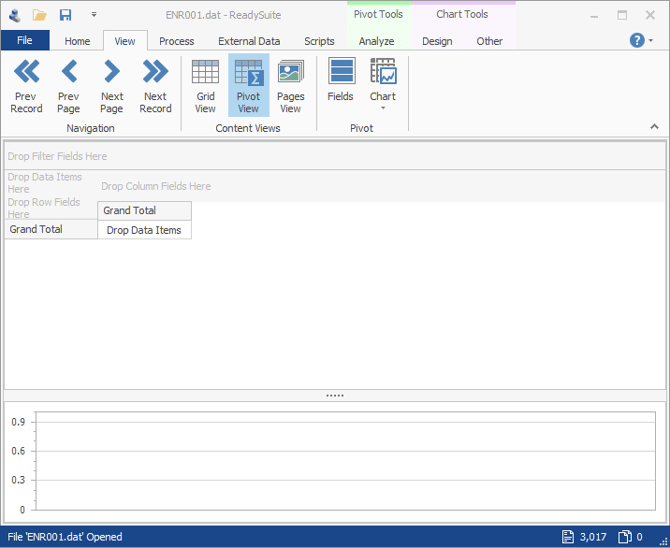
To display the Pivot View
- In the ReadySuite ribbon, click View > Pivot View.
To define the data area
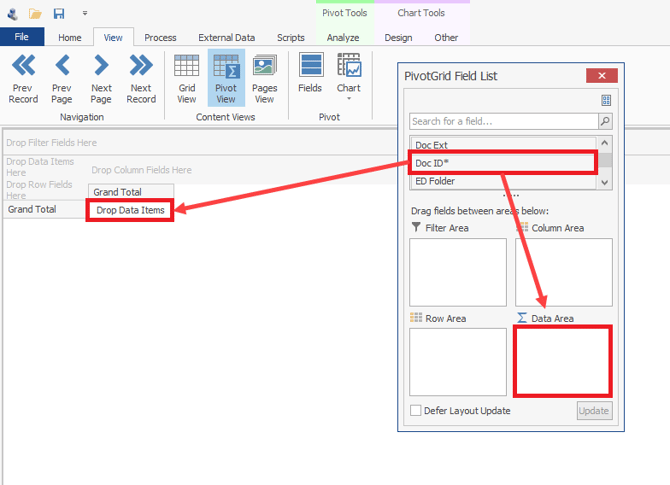
- Open the PivotGrid Field List dialog box and drag the field you want to work with to either the:
- Data Area box
- Drop Data Items Here on the Pivot View
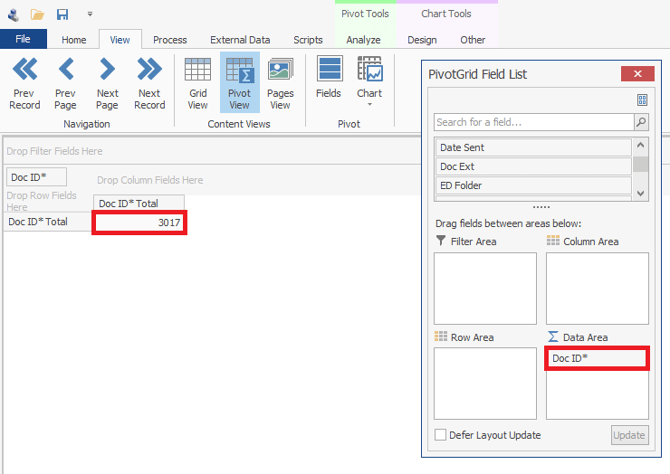
To define the column fields
- Open the PivotGrid Field List dialog box and drag the field you want to work with to either the:
- Column Area box
- Drop Column Fields Here on the Pivot View


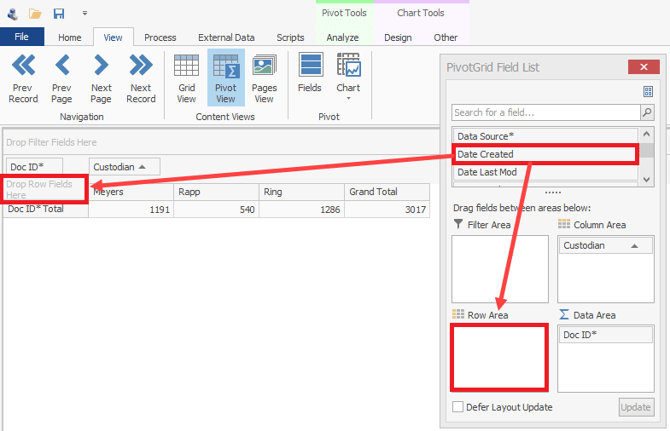
To define the row fields
- Open the PivotGrid Field List dialog box and drag the field you want to work with to either the:
- Row Area box
- Drop Row Fields Here on the Pivot View
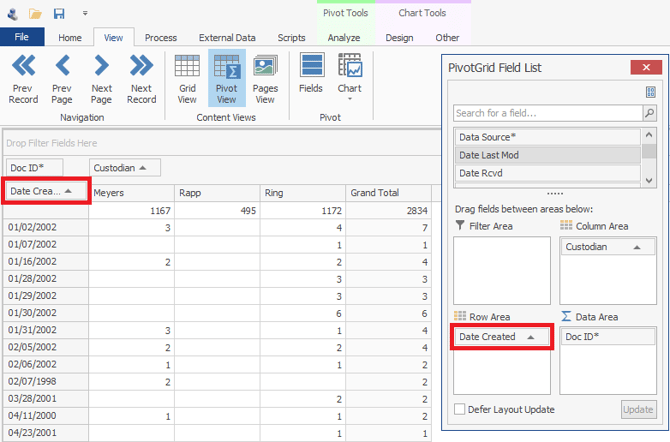
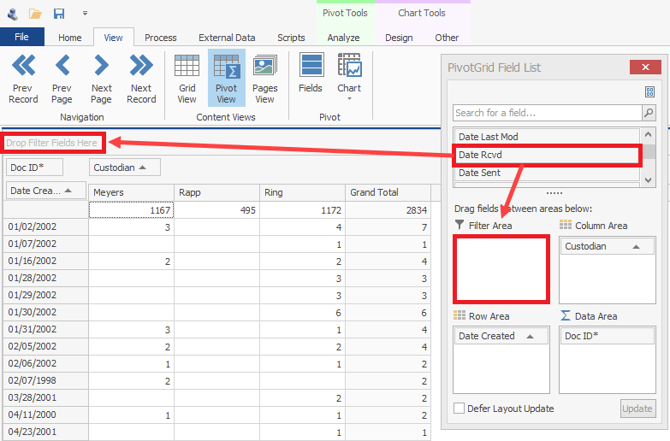
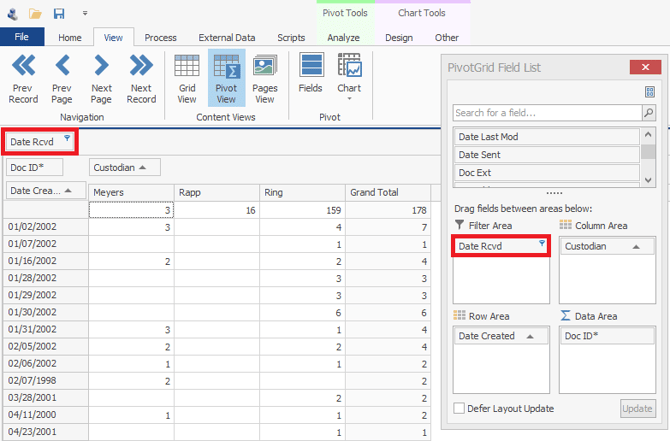
To apply filters in the Pivot View
- Open the PivotGrid Field List dialog box and drag the field you want to work with to either the:
- Filter Area box
- Drop Filter Fields Here on the Pivot View
Note: For more information, see Filtering.