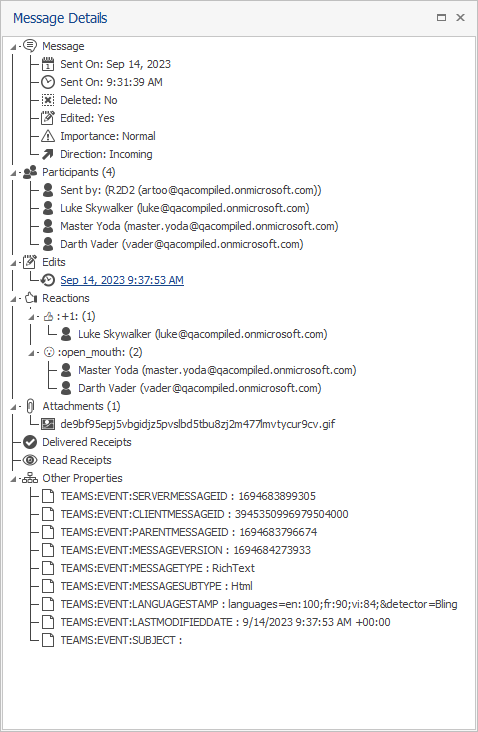
Message Details displays metadata specific to the message selected in the Document Grid View, such as the date and time the message was sent, its participants, number of attachments, edits, reactions, and other properties.
Note: Message Details is only available in ReadySuite chat projects.
To display the Message Details
In the ReadySuite ribbon, click View > Message Details.