
Using the ReadySuite Options dialog box, you can specify the field values used to detect and populate the Document Link or DocId* field in ReadySuite when importing files. Several values are pre-populated in the list of values, but you can add or remove detected link field names.
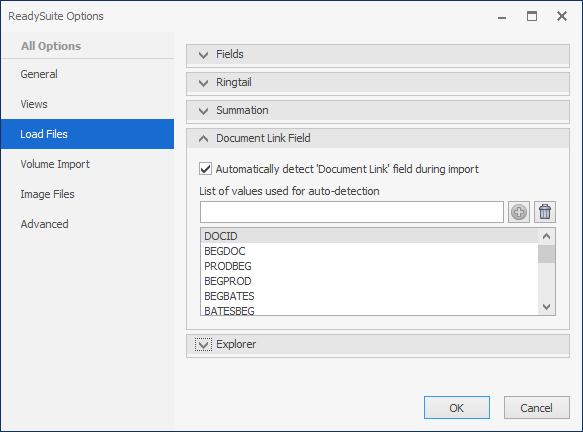
To enable the Link Field option
- In the ReadySuite ribbon, click File > Options.
- In the ReadySuite Options dialog box, click the Load Files tab.
- In the Document Link Field section, select Automatically detect 'Document Link' field during import.
- Select the field you want to use as the
Document LinkorDocId*field from the List of values used for auto-detection. - To add a new a new value, type the name of the field you want added and click the Add icon
 .
- To delete a value from the list, select it and click the Delete icon
 .
- Click Ok.
 .
 .