<img height="1" width="1" style="display:none;" alt="" src="https://px.ads.linkedin.com/collect/?pid=6889170&amp;fmt=gif">
Skip to content
  • There are no suggestions because the search field is empty.

Review: Document List | Exporting Metadata to CSV

Metadata from the documents in the Document List can be exported to a CSV report that can be viewed outside of Nebula.

To export to CSV

  1. On the Review Document List, click the Action icon action1-1 and select Export Doc List (metadata).
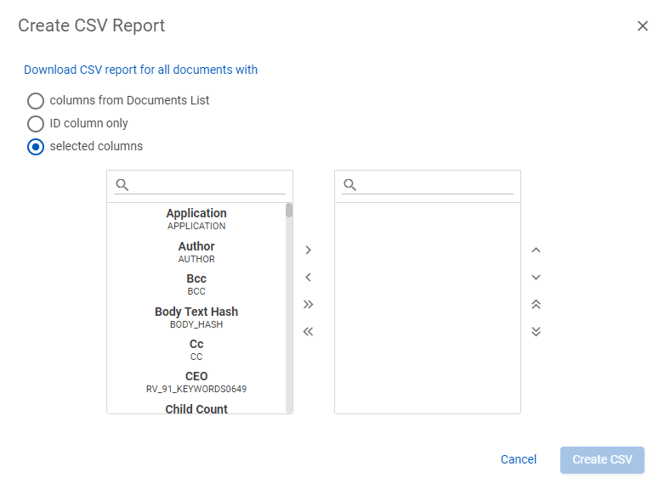
  2. On the Create CSV Report dialog box, select to download a CSV report for all documents from one of the following:
    • columns from Document List
    • ID column only
    • selected columns

      createCVS
  3. Click Create CSV.