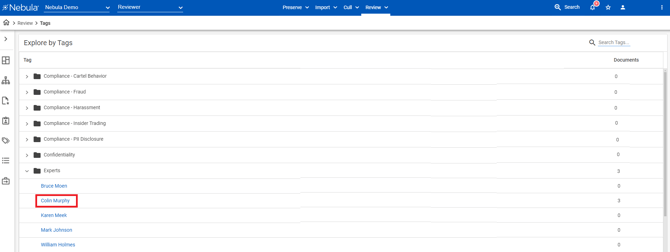
The Explore by Tags page displays document coding fields available to reviewers. Coding fields are defined on the Fields page.
- This page is available when coding fields are created.

To view the Explore by Tags page
- Do one of the following:
- In the Nebula menu bar, click Review > Explore > Tags.
- In the Explore pane on the Nebula dash board, click Tags.
The Explore by Tags section displays the custom created tags for coding all documents in the repository, including:
- What documents have been tagged (number)
- How the documents were tagged (code applied by reviewer)
Click an folder to expand...

... or collapse the contents.

To view the documents in a tagged set
- On the Explore by Tags page, click the Tag of the document set you want view.
The Document List displays the contents of the tagged set of documents.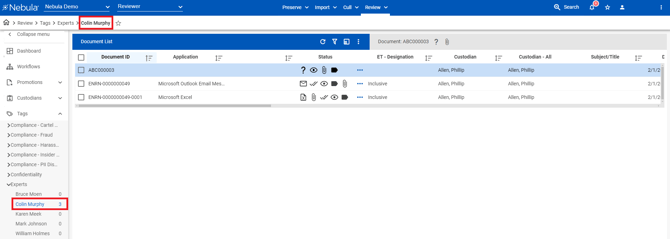
Note: You can also view the list of tagged sets from the Explore by Tags page by clicking a Tag to view its set of tagged documents in the Document List.