
The Downloads page in Nebula lists all the documents downloaded in Review, including their details, such as:
- Documents included in the download (as well as their type and size)
- Any exceptions causing errors.
The Downloads page also enables you to download the documents that were downloaded in the current matter.

To review the Downloads page
- Click Review > Admin > Downloads.
To view the type, size, and pages of a download
- Click the download in the Download list and view its Download Items.

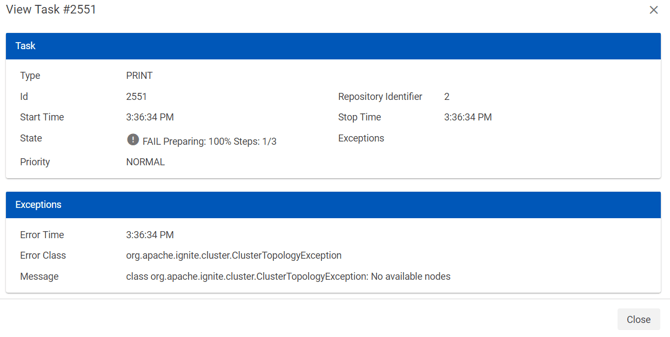
To view additional details, such as exceptions causing errors in a download
- Locate the print job in the Print Queue list, click its Action icon
 and select Details.
- On the Task Details dialog box, view the Task and any Exceptions related to the download.
 and select Details.
To download the documents in a download
- In the Downloads list, click the download with the documents you want to download.
- In the Download Items section, click Download.