<img height="1" width="1" style="display:none;" alt="" src="https://px.ads.linkedin.com/collect/?pid=6889170&amp;fmt=gif">
Skip to content
  • There are no suggestions because the search field is empty.

Cull: Document List | Exporting to CSV

You can export the metadata from the documents in a Cull Document List to a CSV report that can be viewed outside of Nebula.

To export to CSV

  1. On the Cull Document List, click the Action icon action2and select Export Doc List (metadata).
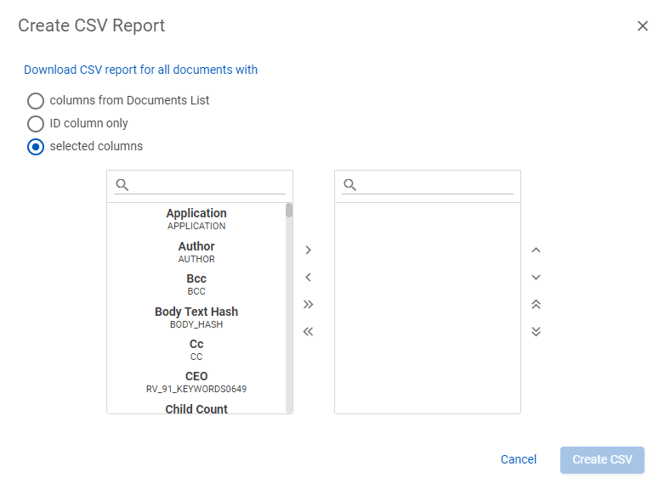
  2. On the Create CSV report dialog box, select to download a CSV report for all documents from one of the following:
    • columns from Document List
    • ID column only
    • selected columns

      createCVS

    • Click Create CSV.