
-
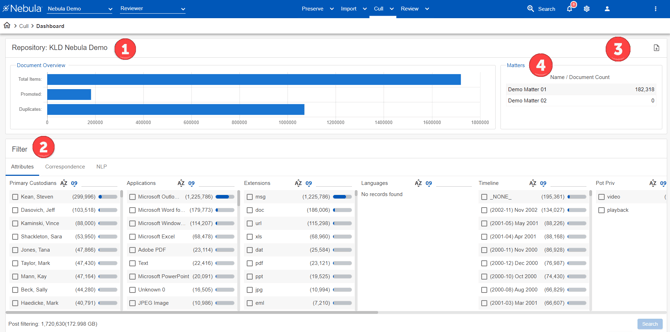
Repository: [repository name]: Displays the number of:
-
All documents in the repository.
-
Documents that have been promoted to a Review database
-
Documents in the repository that are duplicates of other documents.
-
-
Filter: Groups documents in the database by the metadata (Attributes) and email participants (Correspondence), and Natural Language Proccessing entities and/or sentiment scores (NLP).
-
Report: Generates reports of the documents uploaded to Cull.
-
Matters: Displays the names and document counts of available matters in the repository.
Note: Matters only appears on the Cull dashboard if multiple matters are present in a repository.